Code Review in TestFlight
tl;dr
My new App Code Review is available in TestFlight – I would love to get your feedback! 😊
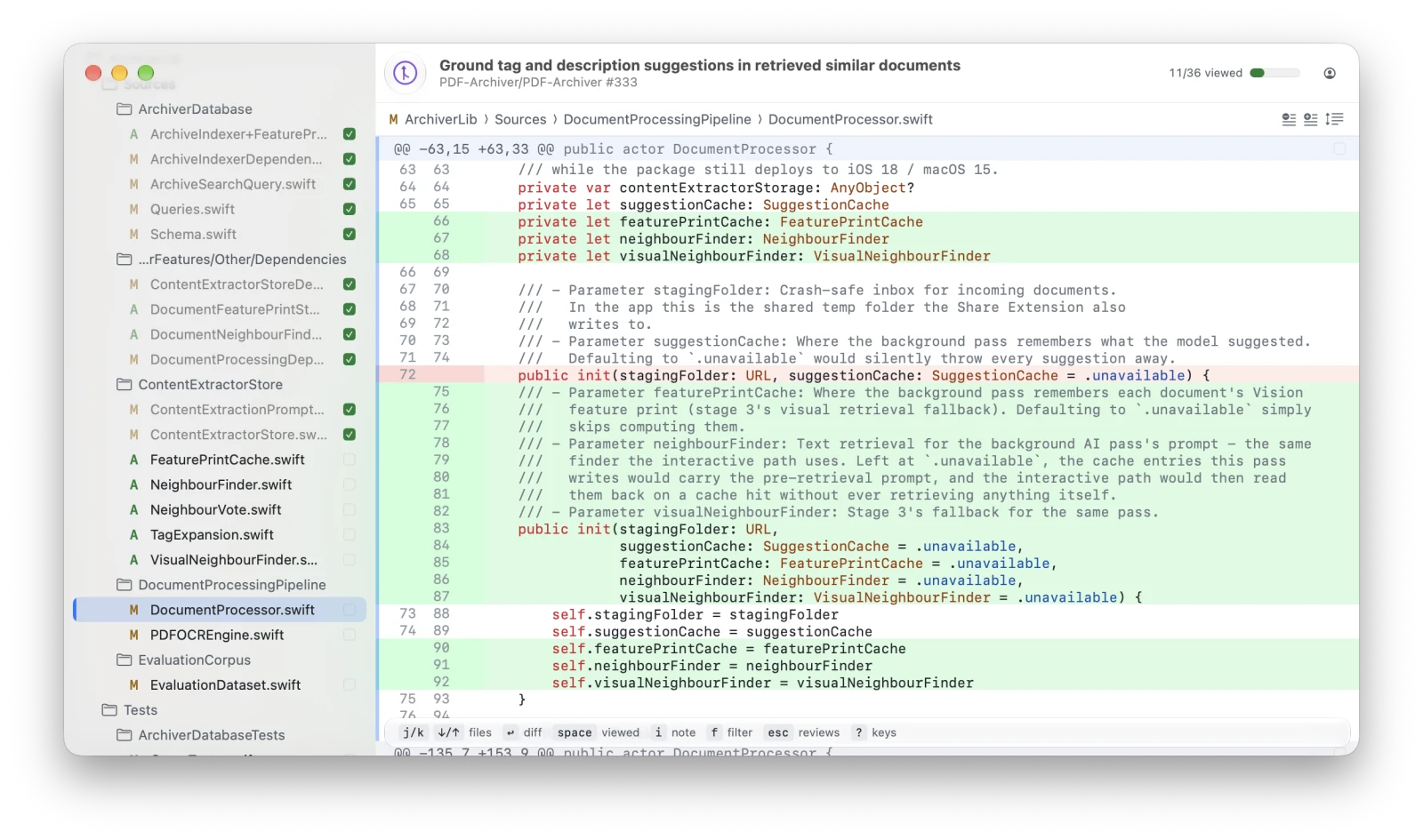
Code Reviews
Currently, I have to review more and more code every day. On the one hand, colleagues are more productive, which results in more PRs. On the other hand, my engineering time also shifted from typing code myself to reviewing and adjusting some output of an agent.
Agents help us by writing/rewriting/optimizing/refactoring large amounts of code. But I still want to sit in the driver's seat. So when it comes to code reviews, I don't want to just let an agent do that. For sure, they are also helpful in code reviews, pointing out problems. But when it comes to architectural designs or a general steering of the codebase, it seems to be a good idea to review changes. For example, to detect a drift from your coding principles and make adjustments.
That said, the current tools I find are ok. Like the web view of pull requests in GitHub. But I think this can be optimized.
Furthermore, there is a slightly different use case when reviewing local changes that an agent has made, right? In a PR you write a comment for someone else. In a local code review, you write a todo for yourself or for an agent that picks it up later. Either way, you want fast iteration cycles to improve your development speed. A git (T)UI is good at staging files. But within that app, you can not edit files easily or write TODOs for the next iteration with an agent of your choice.
Optimization
I really love terminal tools like LazyGit because (if you know the shortcuts) they make you really fast in achieving a task. But while LazyGit is really good at “making git stuff”, it does not really fit for PRs. But one thing I wanted to reuse: shortcuts.
I also like platform-native UIs and nice UX. And I really tried to achieve that.
App
So I have built an app based on these core principles:
- intuitive macOS UI
- highly optimized for keyboard usage
- familiar diff view
- whole process: find a new PR > approve/reject/comment
Flow
You start by choosing a local repository with changes or a PR. Afterwards you can switch between three modes:
- File mode
- Hunk mode
- Line mode
You can move up or deeper in the hierarchy by using the left or right arrow key (or h / l). Switching files can be done using the up/down arrows (or j / k).
Depending on the mode, you stage (SPACE) a file, hunk, or line in a local repository. Or mark it as viewed in a PR – the same way you do on GitHub. When you're finished with the review, just hit CMD + ENTER to commit locally. Or approve/reject/comment a GitHub PR. There are several other shortcuts (see ?) and a handy Xcode integration. Just play with it and try it out. Or have a glance at a mock of the UI here. ☺️
But most importantly: just try it in TestFlight for free!
And of course please give feedback 🙏 I'd love to hear from you: [email protected]
Written by a human 🤓